
How to Add Shopify Schema Without Editing Theme Files
TL;DR: This article explains Shopify Schema with practical examples for Shopify merchants, SEO teams, and agencies. For implementation context, see How SchemaForgeAI works, then validate outputs using Rich Results Test.
Why editing theme files creates long term risk
Editing theme files can work, but it creates a maintenance obligation. Theme updates, app changes, and even small template adjustments can break carefully placed schema blocks. The result is often schema drift, where structured data no longer matches the visible page content, or where duplication appears after an app update.
For teams, the real risk is operational. If your schema lives inside theme.liquid or template files, every theme update becomes a structured data audit. This is manageable for one store and one developer, but it becomes fragile for agencies, multi store operators, and teams that want repeatable workflows.
Another risk is conflict. Shopify themes can output default schema, review apps can output markup, and SEO apps can output additional JSON LD. When you edit theme files directly, you increase the chance of publishing overlapping entities.
If you must edit theme files, implement a strict validation process, document where schema is injected, and retest after any theme or app change. For most teams, a safer approach is to use a theme extension workflow.
One more operational detail is permissions. Many teams do not want every marketer to have theme edit access. A managed injection workflow reduces risk while keeping the SEO team productive.
A safer approach: inject schema through a theme extension
A Shopify theme extension is designed to add functionality without modifying core theme files. For structured data, that means you can inject JSON LD blocks in a controlled way, keep changes reversible, and reduce the risk of losing schema during updates.
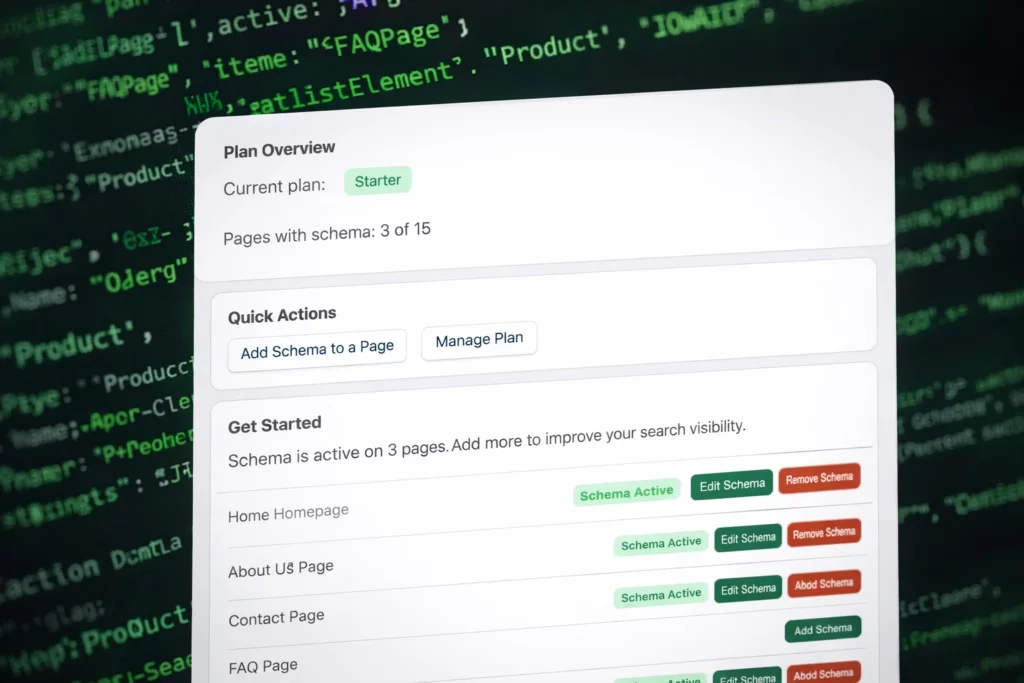
SchemaForgeAI uses this approach so you can generate schema, review it, then apply it to a page through an app controlled injection layer. The workflow is designed for SEO teams who want speed and correctness without pushing code changes into theme files.
After injection, validation remains essential. Use Schema Markup Validator to confirm vocabulary and syntax, then confirm eligible items with Google testing tools. Once validated, monitor Search Console enhancements to see how Google reports your markup.
For background, review Shopify theme extension docs and the Google structured data intro.
If you update themes often, or if you support multiple stores, managed injection can save hours every month. It also makes it easier to roll out consistent structured data across product types, collections, and content pages.
When you troubleshoot issues, capture one example URL, validate it, and compare it to a known good page. This makes errors obvious and reduces guessing.
Frequently Asked Questions
Do I need to edit theme files to add schema
No. A theme extension approach can inject schema without theme file edits, which makes maintenance easier during updates.
Can I remove schema later
Yes. When schema is managed through an app and extension layer, you can disable it per page without hunting through theme templates.
What should I validate after adding schema
Validate syntax and vocabulary with Schema Markup Validator, then check rich result eligibility using Google testing tools.
Will schema changes survive a theme update
When schema is injected through a theme extension, it is designed to remain stable through theme updates because core theme files are not edited.